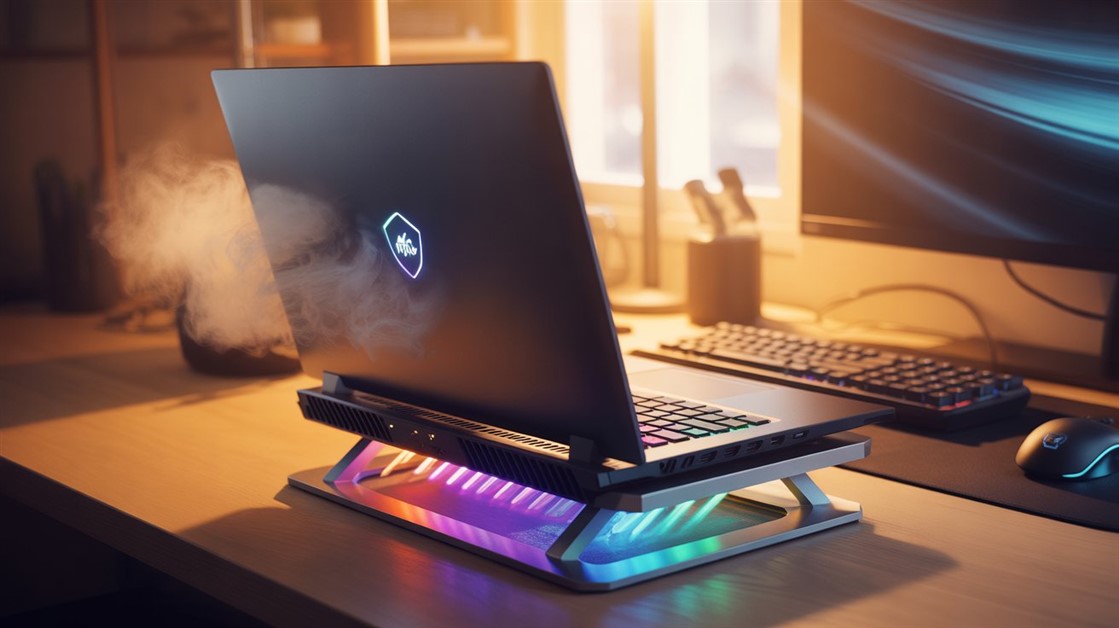
Laptop Stands That Cool Your Machine While You Game

Krarz
AdminIf Your Laptop's Burning Hot. Your FPS Just Dropped.
You're two hours into a session. Everything's running smooth.
Then you notice it. Frame rate starts stuttering. Your laptop's fans are screaming like a jet engine. You touch the keyboard — it's uncomfortably hot.
You check your temps. CPU and GPU temperatures are dangerously high.
Your laptop isn't broken. It's thermal throttling because it can't breathe.
Most gaming laptops sit flat on desks. The air intake vents on the bottom? Completely blocked. Hot air gets trapped underneath. Your laptop chokes on its own heat.
What Gamers Say About Laptop Overheating
I went through gaming forums, Reddit's r/GamingLaptops, and product reviews. Hundreds of people report the same pattern:
- "My laptop overheats within an hour. Frame rates tank. Completely unplayable."
- "Fans run at max speed constantly. It's loud and my performance still drops."
- "Keyboard gets so hot I can't rest my hands on it comfortably."
- "I propped my laptop on a book and temps dropped noticeably. But that's not a real solution."
- "Bought a cheap stand with no fans. Helped a little, but not enough for demanding games."
The pattern is clear: flat desks suffocate gaming laptops. Air can't flow. Heat builds up. Performance tanks.
Why Gaming Laptops Overheat on Flat Surfaces
Problem 1: Bottom Vents Get Blocked
Gaming laptops pull cool air through bottom intake vents. When the laptop sits flat on a desk, those vents press against the surface.
Air can't get in. The fans work harder. Temps climb. Your laptop starts thermal throttling — intentionally slowing down to avoid damage.
Problem 2: Hot Air Gets Trapped Underneath
Even if there's a tiny gap between the laptop and desk, hot exhaust air pools underneath.
Your laptop keeps recycling warm air instead of pulling in cool air. It's like trying to cool down by breathing into a paper bag.
Problem 3: Long Gaming Sessions Build Heat Over Time
First 30 minutes? Usually fine. After an hour or two? Temps spike.
Gaming laptops generate serious heat during extended sessions. Without proper airflow, that heat has nowhere to go.
What Actually Works for Cooling Gaming Laptops
After reading through hundreds of reviews and thermal testing discussions, cooling solutions that work share a few things:
- Elevation — lifts the laptop so bottom vents can breathe
- Active cooling — built-in fans push extra air through intake vents
- Metal construction — helps dissipate heat from the laptop body
- Adjustable height — lets you find the right angle for airflow and ergonomics
Passive stands help. Active cooling stands with fans help more. The best ones do both.
Laptop Cooling Stands That Actually Drop Temps
Best Overall: IETS GT300 — Double-Fan Cooling Beast
- Cooling system: Dual high-speed fans with adjustable performance
- Temperature improvement: Many users report significant temperature reductions under load
- Height adjustment: Multiple angles, ergonomic positioning
- Build: All-metal construction, sturdy even with heavy gaming laptops
- Real user feedback: "My laptop used to overheat constantly. With this stand, temperatures stay much more manageable during the same games." — Reddit r/GamingLaptops
- USB-powered: Plugs into your laptop, no separate power needed
- Noise level: Fans are audible at higher speeds but often quieter than laptop fans running at full blast
Best for: Gamers with laptops that run extremely hot and need serious cooling
👉 Check Current Price → IETS GT300 Double-Blower Laptop Cooling Pad
Budget Option: Havit HV-F2056 — Simple Triple-Fan Design
- Cooling system: Three large fans for basic airflow support
- Temperature improvement: Users report noticeable drops compared to flat desk use
- Height adjustment: Two fixed angles (not as flexible as IETS)
- Build: Plastic with metal mesh — lighter but less premium feel
- User feedback: "Not as powerful as high-end stands but clearly better than nothing." — User review
- Trade-off: Fans can be louder. Plastic feels less durable.
Best for: Budget gamers who need basic cooling without breaking the bank
👉 Check Current Price → Havit HV-F2056 15.6"-17" Laptop Cooler Cooling Pad
Premium Alternative: Kootek Cooler Pad Chill Mat 5 — Versatile Multi-Fan Stand
- Cooling system: Five fans (1 large central + 4 support fans) for balanced airflow
- Temperature improvement: Gamers frequently report 10-15°C drops during long sessions
- Height adjustment: 6 different angles for perfect ergonomics and airflow
- Build: Metal mesh surface with sturdy frame — excellent heat dissipation
- Real feedback: "Saved my gaming laptop from throttling — adjustable height is a game-changer for couch and desk use." — Reddit r/GamingLaptops
- Extra features: Blue LED (can be turned off), quiet operation at low speeds
- Trade-off: Slightly bulkier than ultra-slim pads
Best for: Hybrid users who want quiet, adjustable cooling with solid performance
👉 Check Current Price → Kootek Cooler Pad Chill Mat 5
How to Know If Your Laptop Needs a Cooling Stand
Check your temps during gaming:
- Download HWMonitor or MSI Afterburner
- Play a demanding game for 30 minutes
- Check CPU and GPU temperatures
You probably don't need a cooling stand if:
- Your temperatures stay well within safe ranges
- Fans run quietly
- No performance drops or stuttering
You probably do need one if:
- Temperatures frequently spike under load
- Frame rates drop after long gaming sessions
- Fans run at maximum speed constantly
- Keyboard becomes uncomfortable to touch
- Your laptop shuts down or crashes during intense sessions
Which Cooling Stand Should You Choose?
IETS GT300: Best for maximum cooling performance
Havit HV-F2056: Best budget option for basic cooling
Kootek Chill Mat 5: Best for balanced, quiet and adjustable cooling
Stop Cooking Your Laptop on a Flat Desk
Thermal throttling isn't your laptop being weak. It's your laptop trying to protect itself.
Gaming laptops are designed to run hot — but sustained overheating shortens lifespan, degrades performance, and makes gaming miserable.
Getting a proper cooling stand isn't overkill. It's letting your laptop breathe the way it was designed to.
Your temperatures stabilize. Your fans calm down. And you can finally game for hours without watching performance fall apart halfway through.
Many gamers report noticeable temperature improvements with proper cooling stands — because elevation and airflow actually work.
What's your experience with laptop cooling? Drop your temps and setup in the comments. Always curious to see what's working for other people.
If you've got friends gaming on hot laptops, send this their way — their laptop will thank you.
Disclosure: This is an affiliate article. We may earn a small commission if you buy through our links — at no extra cost to you. This helps us keep researching and recommending gear for gamers and hybrid users.




No comments yet. Be the first to share your thoughts!