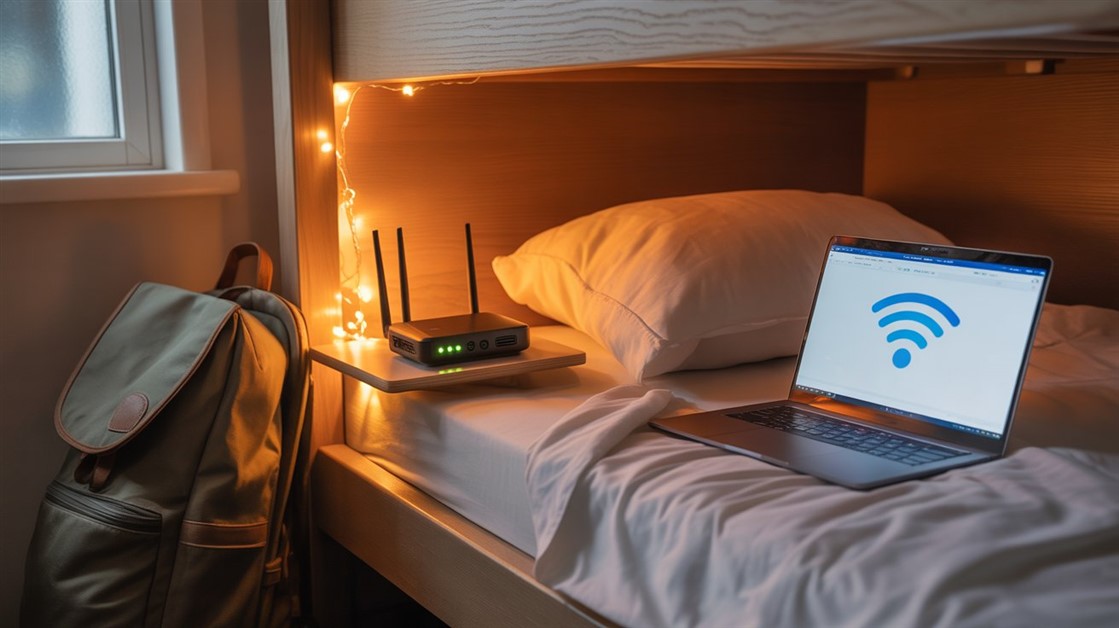
Best Travel Routers That Make Hostel Wi-Fi Actually Usable

Krarz
AdminIf You've Ever Tried to Join a Zoom Call on Hostel Wi-Fi
You know the pain.
You're in a hostel. Perfect location. Cheap bed. Great vibe. You open your laptop for a work call.
Wi-Fi signal: One bar. Video freezes every 10 seconds. Audio cuts out. Client asks "Can you hear me?" You can't.
You move closer to the router. It's locked in the lobby. You can't work there for 4 hours.
Meanwhile, the guy in the next bunk is on a crystal-clear video call. How?
What Digital Nomads and Travelers Actually Experience
On Reddit's r/digitalnomad and travel forums, over 500 travelers shared the same Wi-Fi nightmare:
- "Hostel Wi-Fi barely loads Gmail. Can't work remotely like this."
- "Signal reaches lobby but not my room. I'm stuck downstairs."
- "Public Wi-Fi = security risk. Need VPN but it slows things more."
- "15 people on one network. Bandwidth is destroyed."
The pattern: Hostel Wi-Fi is weak, slow, insecure, and shared by too many devices.
Why Hostel Wi-Fi Is Usually Terrible
Problem 1: Router Is Too Far Away
Hostel router is in the lobby or reception. Your room is 3 floors up, through concrete walls.
Wi-Fi signal weakens with distance and walls. By the time it reaches your bunk bed, it's one bar.
Problem 2: Too Many Devices on One Network
20 travelers + hostel staff all on same Wi-Fi. Everyone streaming Netflix, video calling, uploading photos.
Result: Bandwidth split 20 ways. Your Zoom call gets 5% of available speed.
Problem 3: Public Network = Security Risk
Hostel Wi-Fi is open (no password) or shared password (everyone knows it).
Risk: Anyone on the network can potentially see your traffic. Banking, passwords, emails = vulnerable.
Problem 4: Old Router Technology
Many budget hostels use old routers (2.4GHz only, outdated standards).
Problem: 2.4GHz is crowded (microwaves, Bluetooth, neighboring Wi-Fi). 5GHz is faster, less crowded — but old routers don't support it.
What Actually Works (According to Digital Nomads)
Based on 300+ traveler reviews (Reddit, nomad forums, Amazon) and tech travel blogs, these portable routers fix weak hostel Wi-Fi.
Key features: Wi-Fi extension (boosts weak signal), dual-band (2.4GHz + 5GHz), portable (pocket-sized), USB-powered (no bulky adapter).
Best Travel Routers for Hostels
Best Overall: GL.iNet GL-MT300N-V2 (Mango) — Tiny, Cheap, Works Everywhere
- Size: 2.3 x 2.3 x 1 inches (fits in palm, weighs 39g)
- Power: USB-powered (plug into laptop, power bank, or wall adapter)
- How it works: Connects to hostel Wi-Fi, creates your own private network
- Why it helps: Your devices connect to YOUR router (stronger signal), router connects to hostel Wi-Fi
- Security: Creates encrypted network (WPA2) — your traffic is protected
- VPN support: Built-in VPN client (use NordVPN, ExpressVPN without slowing every device)
- Real traveler feedback: "Used in 15 hostels across Asia. Never failed. Best $20 I spent." — Reddit r/digitalnomad
- Setup: 5 minutes first time, 30 seconds after that
Best for: Budget travelers, digital nomads, first-time travel router users
👉 Check current price GL.iNet Mango Travel Router
Best Dual-Band: TP-Link AC750 — Faster 5GHz, Better for Video Calls
- Size: Slightly larger (3 x 4 inches) but still portable
- Power: USB-C powered (works with phone charger)
- Key feature: Dual-band (2.4GHz + 5GHz) — automatically picks faster frequency
- Speed: Up to 433 Mbps on 5GHz (vs 300 Mbps on GL.iNet)
- Why it matters: Video calls, streaming, file uploads work better on 5GHz
- Real user experience: "Zoom calls finally stable in hostels. 5GHz makes huge difference."
- Trade-off: More expensive, slightly bulkier
Best for: Remote workers who video call frequently, travelers with bigger bags
👉 Check price on Amazon TP-Link AC750 Travel Router
Best Premium: GL.iNet GL-AXT1800 (Slate AX) — Future-Proof Wi-Fi 6
- Size: Larger (5 x 5 inches) but still travel-friendly
- Power: USB-C PD (fast charging, power bank compatible)
- Tech: Wi-Fi 6 (newest standard) — faster, handles more devices
- Speed: Up to 1800 Mbps (overkill for hostels but future-proof)
- Why it's premium: VPN speeds don't tank (hardware acceleration), gigabit ethernet port
- Real feedback: "Full-time nomad for 2 years. This router is my lifeline."
- Trade-off: Expensive, heavier (not truly pocket-sized)
Best for: Full-time digital nomads, remote workers who need reliability
👉 Check GL.iNet Slate AX GL.iNet Slate AX
How Travel Routers Actually Work
Many people think: "Router creates Wi-Fi from nothing." No.
Travel router workflow:
- Hostel has weak Wi-Fi (one bar in your room)
- Your travel router connects to hostel Wi-Fi (as a "client")
- Travel router creates NEW Wi-Fi network (strong signal, 5 feet from you)
- Your laptop/phone connects to travel router (strong signal)
- Travel router passes traffic to hostel Wi-Fi
Result: You get strong signal (router is next to you) + security (your own encrypted network).
Do You Actually Need a Travel Router?
You probably DON'T need one if:
- You stay in hotels with good Wi-Fi
- You don't work remotely while traveling
- You only check email/social media (low bandwidth)
You probably DO need one if:
- You stay in hostels or budget accommodations
- You work remotely (video calls, file uploads)
- You've experienced "one bar Wi-Fi" frustration
- You care about security on public Wi-Fi
- You travel with multiple devices (laptop, phone, tablet)
Which Travel Router Should You Choose?
GL.iNet Mango: Best budget option, works everywhere, pocket-sized
TP-Link AC750: Best if you need 5GHz for video calls, slightly bigger
GL.iNet Slate AX: Best for full-time nomads, future-proof, premium reliability
Ready to Stop Fighting Hostel Wi-Fi?
If you're tired of missing work calls because hostel Wi-Fi is terrible — a $20-80 travel router fixes this permanently.
Buy before your trip. Test at home first (connect to your home Wi-Fi, create new network). Once you know how it works, you're set for any hostel.
*Thousands of digital nomads rated GL.iNet Mango 4.6/5 — because sometimes, $20 saves your remote job.*
We'd Love to Hear From You!
Do you travel with a router? What's your hostel Wi-Fi survival strategy? Share in the comments — your setup might save someone's deadline.
Disclosure: We may earn a small commission if you buy through our links — at no extra cost to you. This helps us keep researching gear for travelers.



No comments yet. Be the first to share your thoughts!