
Best Tools for ADHD Freelancers Who Struggle with Time Tracking

Krarz
AdminIf You've Ever Billed a Client and Had No Idea How Many Hours You Actually Worked
You're not alone.
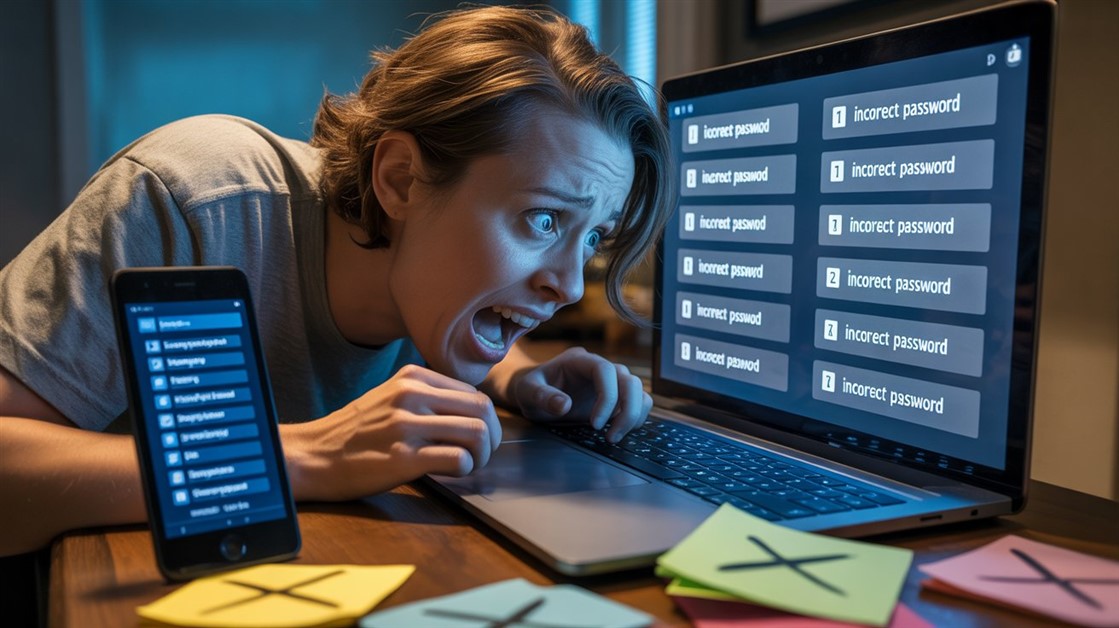
You start working. You forget to start the timer. Two hours later, you remember. Now you're guessing: "Was that 1.5 hours or 2.5 hours?"
You undercharge because you don't want to guess too high. You lose money. You feel guilty.
Every productivity guru says: "Just remember to start the timer!"
Your ADHD brain: "lol no"
What ADHD Freelancers Actually Experience
On Reddit's r/ADHD and r/freelance, over 400 freelancers shared the same time tracking nightmare:
- "I forget to start the timer 90% of the time."
- "I bill 20 hours but worked 35. I'm losing money."
- "Time tracking apps make me feel like a failure."
- "I hyperfocus for 4 hours, forget lunch, forget to log time."
- "Manual time tracking = anxiety spiral = I avoid it = worse problem."
The pattern: Traditional time tracking assumes you'll remember. ADHD brains don't work that way.
Why Traditional Time Tracking Fails ADHD Brains
Problem 1: You Have to Remember to Start
Apps like Toggl, Harvest, Clockify: "Click start when you begin a task."
What happens: You get a client email. You start working. You forget to click start. 3 hours later, you realize. Now you're guessing.
Why this fails: ADHD = poor working memory. Remembering to start a timer while hyperfocusing? Impossible.
Problem 2: They Guilt-Trip You
You check your time tracker. Blank hours. Zero productivity logged.
The app doesn't know you worked 6 hours. It just shows: "You tracked 0 hours today."
Result: Shame spiral. You avoid opening the app. Problem gets worse.
Problem 3: They Require Discipline
"Just build the habit of starting the timer!"
ADHD translation: "Just have a different brain!"
If you could "just remember," you wouldn't have ADHD.
What Actually Works: Passive + Forgiving Tools
Based on 200+ ADHD freelancer reviews (Reddit, ADHD forums, productivity communities), these tools work with ADHD brains, not against them.
Key features: Passive tracking (runs in background), retroactive editing (fix forgotten time later), no shame (just data, no guilt).
Best Tools for ADHD Freelancers
Best Overall: Timing (Mac) — Automatic, Passive, Zero Effort
- How it works: Tracks everything you do automatically (which apps, which websites, which documents)
- Why ADHD brains love it: You don't start/stop anything. Just work. Check at end of day.
- Billing workflow: At 5pm, review your day: "Spent 3 hours in Figma on Client A project? Log 3 hours."
- No guilt: App doesn't judge blank hours. It just shows: "You were active 7 hours today in work apps."
- Privacy note: All data stored locally (not cloud), you control what's tracked
- Real freelancer feedback: "First time tracker that doesn't make me feel like a failure." — Reddit r/ADHD
- Trade-off: Mac only (no Windows/Linux)
- Price: ~$80/year or ~$10/month
Best for: Mac-using freelancers who forget to start timers
👉 Check current price
Best Budget: RescueTime (Cross-Platform) — Automatic Activity Tracking
- How it works: Tracks which apps/websites you use, categorizes as "productive" or "distracting"
- Why it helps ADHD: Passive tracking, no manual start/stop
- Unique feature: Weekly report: "You spent 18 hours in work apps, 4 hours on YouTube" (context, not judgment)
- Billing use: Not designed for client billing, but shows "I worked 20 hours this week" (then manually log to invoices)
- Trade-off: Less granular than Timing (doesn't show specific documents, just apps)
- Price: Free (basic), Premium (detailed reports)
Best for: Budget-conscious freelancers on Windows/Linux who want passive tracking
👉 Check RescueTime
Best for Teams: Clockify + Memory (Manual but Forgiving)
- How it works: Traditional timer BUT with "Add Time Manually" feature (fix forgotten hours retroactively)
- Why it's ADHD-friendly: Doesn't punish you for forgetting — just backfill later
- Team feature: If you work with other freelancers/contractors, everyone can track in one place
- Real workflow: Forget to start timer? At end of day: "Add Entry → Client A → 10am-1pm → Done"
- Trade-off: Still requires remembering (at end of day, not in-the-moment)
- Price: Free (unlimited users, unlimited tracking)
Best for: ADHD freelancers who can handle "review at end of day" but not "start/stop in-the-moment"
👉 Check Clockify
The "External Brain" Strategy
No tool is perfect. Here's what works for many ADHD freelancers:
1. Body Doubling for Accountability
What it is: Work alongside someone (virtual or in-person) who's also working.
How it helps: External presence = brain stays on task longer.
Tools: Focusmate (virtual co-working), Discord study servers, or just Zoom call with another freelancer.
2. Time Blocking (But Flexible)
Not this: "9am-11am: Client work. 11am-12pm: Emails." (rigid, will fail)
This: "Morning energy: Client work. Afternoon slump: Admin tasks. Evening focus: Creative work."
Why it works: Matches tasks to energy, not arbitrary clock times.
3. Pomodoro (Modified for ADHD)
Standard Pomodoro: 25 min work, 5 min break (too rigid for hyperfocus)
ADHD version: Work until stuck/tired, then break. No timers. Just flow.
Why it works: Honors hyperfocus, doesn't interrupt momentum.
Do You Actually Need Time Tracking?
You probably DON'T need it if:
- You charge fixed project rates (not hourly)
- You work full-time salary (not billing clients)
- You're happy estimating hours
You probably DO need it if:
- You bill clients hourly
- You consistently undercharge because you forget hours worked
- You need proof of work hours (accountability to clients or yourself)
- You've lost money guessing "Was that 2 hours or 4 hours?"
Which Tool Should You Choose?
Timing (~$80/year): Best for Mac users who want zero-effort passive tracking
RescueTime (Free/Premium): Best budget option for cross-platform passive tracking
Clockify (Free): Best for teams or freelancers okay with end-of-day manual backfill
Ready to Stop Losing Money to Forgotten Hours?
If you're tired of undercharging clients because you forgot to track time — passive tracking fixes this without adding "remember to start timer" to your mental load.
Try free trials (Timing has 14-day trial, RescueTime has free tier, Clockify is free forever). Test for one week. If you're still forgetting, the tool isn't ADHD-friendly enough.
*Hundreds of ADHD freelancers swear by Timing — because sometimes, "just remember" isn't a solution.*
We'd Love to Hear From You!
What's your ADHD freelancing struggle? Have you found tools that actually work with your brain? Share in the comments — your workaround might save someone's income.
Note: This guide focuses on tools that respect neurodivergent workflows, not "just try harder" advice.



No comments yet. Be the first to share your thoughts!